AI Agents for Business
Agents that take defined tasks: answering, sorting, opening tasks, updating CRM, or handing off to a human with full context.
Business Automation Solutions
DevCo builds practical automations that remove manual work, connect the tools your team already uses, and make business processes observable — from smart CRM to appointments, sales, and ops.
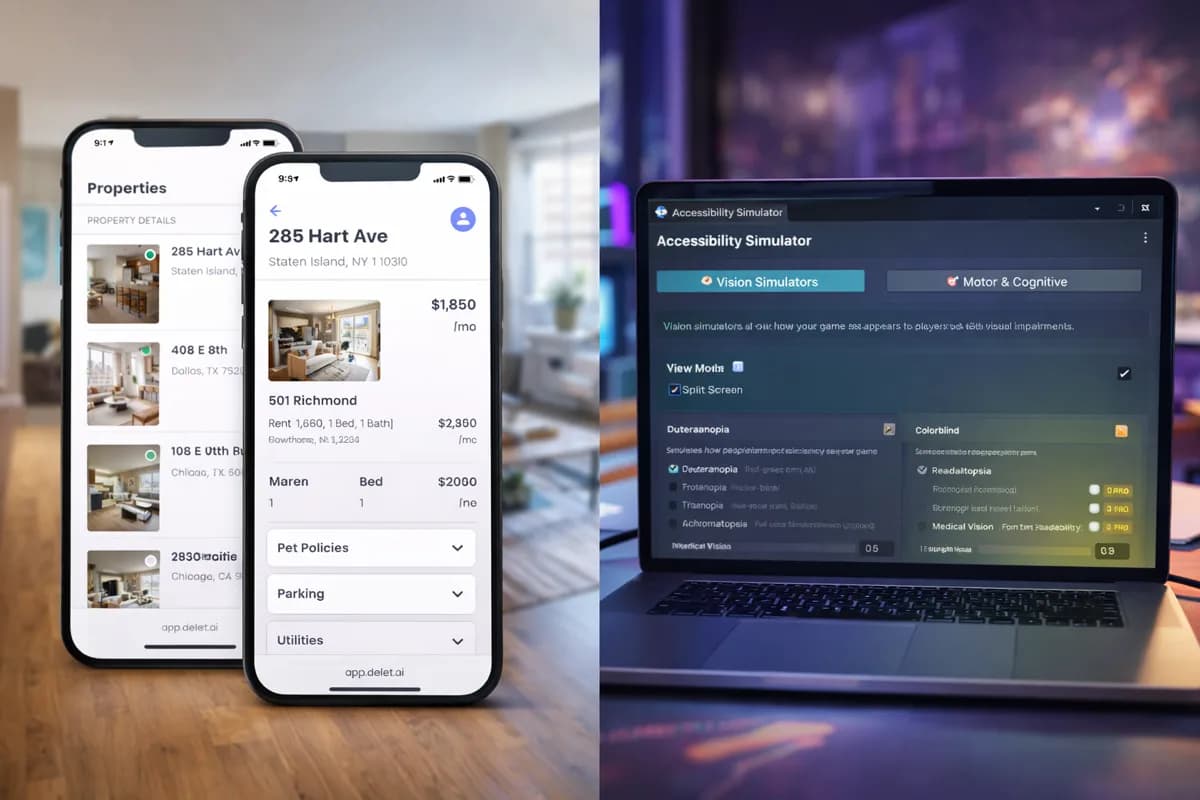
Web, mobile, and internal tools
A product ecosystem combining mobile property flows, operational screens, and accessibility-oriented tooling.
Agents that take defined tasks: answering, sorting, opening tasks, updating CRM, or handing off to a human with full context.
An AI phone representative that collects details, screens calls, schedules meetings, and documents everything in the CRM before transfer to a person.
AI-backed customer management: every conversation, lead, and action is documented automatically in the system you already use.
Connect invoices, documents, tasks, statuses, and reports into one organized flow with owner-facing dashboards.
Capture leads from any source, run screening questions, document in CRM and tools like Monday or Pipedrive until the right team responds.
Store automation for orders, inventory, customer updates, and abandoned-cart recovery tied into your existing process.
Automation for sales and service teams: follow-up, quotes, deal tracking, full documentation — plus human sales handoff when a person should close.
Book meetings with screening questions, reminders, arrival confirmations, and CRM updates — without chasing people on the phone.
n8n, Make, Zapier, direct APIs, webhooks, database sync, reporting flows, and multi-system reliability checks.
DevCo works with HubSpot, Zoho, Monday, custom CRMs, and automation platforms such as n8n, Make, and Zapier, plus direct APIs, webhooks, Slack, email, and reporting flows.
Many automation projects begin with one high-impact workflow such as lead routing, CRM sync, appointment booking, or internal approvals. After discovery, the first useful automation can often ship in a focused first phase.
Yes. DevCo can monitor workflows, improve reliability, extend coverage, and adjust automations as tools, teams, and business processes evolve.
Innovate Now
The onboarding flow from the Canva deck becomes the operating model clients can understand before the first sprint begins.
Clarify business goals, users, systems, risks, integrations, and the first measurable outcome.
Translate goals into architecture, scope, milestones, estimates, and a delivery path.
Build production-ready software, automations, APIs, dashboards, and AI workflows.
Deploy, test, observe, and support the system — then improve reliability, automation coverage, and product velocity after release.
The goal is to make the project feel predictable. We start by understanding the business need, then turn it into a practical delivery plan with clear priorities, communication, milestones, and launch expectations.
Talk With Our Team
Tell us what you need. We will map the product, automation, integration, or workflow and decide the first practical delivery step.